5 min read
What pop culture can teach us about effective System feedback
Before you design a planning tool, check how much of today is the same as last week.

The importance of system feedback, lessons from pop culture
System feedback plays an important role in validating user actions within any interface. Whether it's success messages confirming task completion or error alerts notifying users about failed actions, this feedback offers clarity to users and builds trust.
So, it's important, when building a product, to know when and where to provide this feedback in the user interface (UI), ensuring that your alerts or notifications are helpful and not intrusive.
Surprisingly, we can learn some of these best practices from pop culture. Let's take a look at some lessons from iconic movies:
Delayed Messaging: Lessons from The Notebook
In the movie The Notebook, one of the most heartbreaking moments is when we realise that Noah's letters never reached Allie (well, they did, but her mother hid them from her, so technically, she never sees them until it's too late in the movie). Imagine her frustration: she waited so long for Noah's letters, only to never see them or find them when it was too late.
The same thing can happen with system feedback. If a user doesn't receive an alert on time, it can cause confusion, mistrust, and missed opportunities to recover from mistakes.
Just like Allie not receiving those letters caused emotional chaos, delayed or missing notifications in a system can leave users feeling abandoned or lost. The emotional frustration of that delay perfectly mirrors what happens when system messages are not delivered in a timely manner. Feedback, especially in critical systems, ensures users are kept informed at the right moments.
Research Insight
A Microsoft study shows that systems that fail to provide immediate feedback can increase user error rates by 22%. Timely feedback is essential to keeping users informed and ensuring they can act quickly when something goes wrong.
Best Practice: Provide Immediate Feedback
Users expect immediate confirmation after performing an action, whether it's submitting a form or completing a purchase on a website. A study by Jakob Nielsen found that feedback should be provided within 1 second to keep users engaged without breaking their flow. Delayed feedback leaves users wondering whether their action was successful, leading to frustration and anxiety, just like Allie's distress in The Notebook.
No Feedback at All: The Inception Uncertainty
In Inception, one of the central themes is knowing whether something is reality or a dream. The spinning top that we often see in the movie suggests whether the character is in a dream or in reality, acting as a form of feedback. The absence of such clear feedback at the end of the movie leaves the characters and the audience in a state of uncertainty (which was amazing but also frustrating).
This mirrors how users must feel doubtful and confused when they receive no system feedback after performing an action. Imagine performing an action and not receiving any confirmation, progress indicator, or response. Just like the characters in Inception struggle with the ambiguity of their situation, users become uncertain about whether their actions have been processed or whether the system is functioning correctly.
Research Insight
A Google study found that providing visual feedback, like progress bars or spinners, reduces user frustration by 70%. Even minimal feedback helps users understand that their action is being processed, thereby enhancing their confidence in the system.
Best Practice: Always Provide Some Form of Feedback
To avoid leaving users in the dark, always provide some form of feedback, even if it's just an indication that the system is processing the request. Whether it's a loading spinner, progress bar, or a simple "Processing..." message, this reassurance is crucial. Research from the Baymard Institute shows that 88% of users are more likely to abandon a process if they don't see any indication of progress.
Unhelpful Notifications: The Zodiac Killer Conundrum
In the movie Zodiac, police officers and reporters are confounded by cryptic letters sent by the Zodiac Killer, which are full of indecipherable codes. These cryptic messages make it nearly impossible to decode the critical information needed to solve the mystery of the Zodiac Killer.
This is akin to providing unclear or overly complex notifications to users. If users cannot easily understand system feedback - whether it's error codes or technical jargon- they will likely feel confused or even frustrated. Messages should be clear, concise, and immediately actionable. Just like the investigators couldn't solve the case with cryptic clues, users can't resolve system errors with unhelpful notifications.
Research Insight
A study by Google found that users are 10x more likely to correct errors when the message includes actionable steps. Avoid technical jargon and provide instructions that non-expert users can easily follow.
Best Practice: Ensure Clarity in Error Messages
System notifications should use plain language and offer specific guidance on how to resolve issues. Research by the Nielsen Norman Group highlights that 50% of users blame themselves when they encounter unclear error messages, even though the issue lies with the system. Clear, user-friendly messaging can reduce frustration and empower users to take corrective actions.
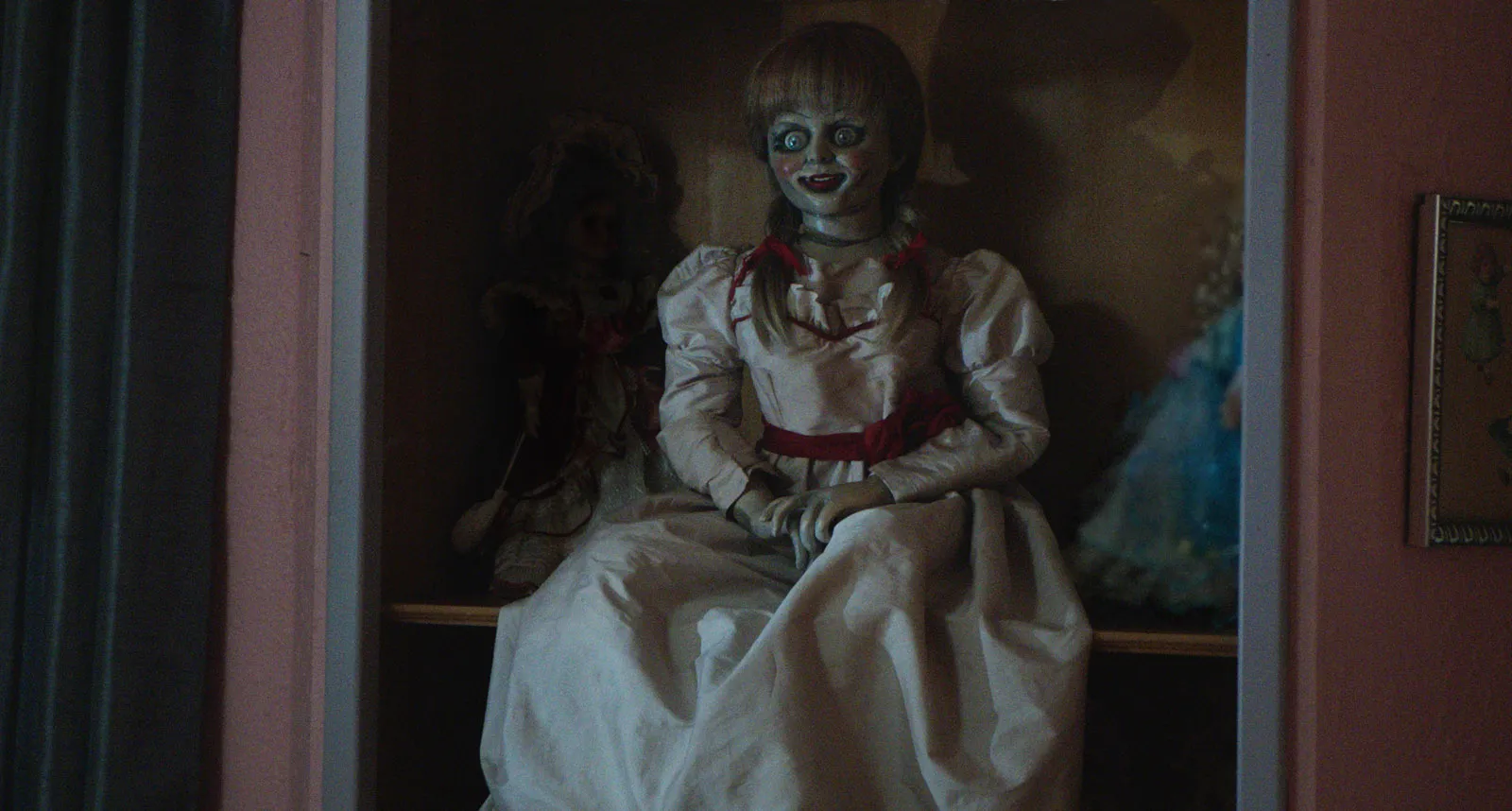
Untimely, Random, and Repetitive Messages: The Annabelle Experience

Remember in Annabelle when the creepy doll kept leaving cryptic messages like "Miss me?" scribbled randomly around the house, showing up in the most unexpected places? It was unsettling and intrusive, appearing in unexpected places, at unexpected times, and repeating itself without making any sense. Who knows, maybe Annabelle was just trying to make friends with the nurses in the quiet apartment! But unfortunately, that wasn't the best way to do it.
In a system UI, similar things can happen when notifications pop up in the wrong places, at inconvenient times, or are needlessly repetitive. This can frustrate users, as the feedback becomes more of an annoyance than a helpful tool. Proper placement and timing of feedback are crucial to maintaining user focus and ensuring that users can take the necessary actions without being overwhelmed by redundant or misplaced alerts.
Research Insight
Research by UX Collective found that users ignore notifications that are repetitive or misplaced 67% of the time. Ensure your system only alerts users when absolutely necessary and in places where it won't disrupt their workflow.
Best Practice: Optimize Timing and Placement of Alerts
To prevent notification fatigue, alerts should be shown when they are relevant and in the context of the user's actions. Studies show that 47% of users get annoyed when they receive repetitive or irrelevant notifications. Systems should focus on providing feedback at the right moment, without overwhelming users with unnecessary alerts.
Conclusion: Pop Culture's Take on System Feedback
Whether it's the delayed messaging from The Notebook, the cryptic codes from Zodiac, or the repetitive alerts from Annabelle, these pop culture moments highlight the importance of designing effective system feedback. By following best practices, such as providing timely and clear notifications in the right place, you can ensure your users feel supported, informed, and empowered, just like the heroes or demons in these stories.